Create a Mail Server on Windows with Open-Source hMailServer
Setting up your own mail server on Windows is easier than many people think. If you’re looking for a free, open-source SMTP server solution for Windows, hMailServer is one of the best options available.
Requirements
- A registered domain name
- A Windows machine (Windows 10, Windows Server 2016/2019, or newer)
- Open port 25 on your server
Checking if Port 25 is Open
- Go to Control Panel → Windows Features → enable
Telnet Client. -
Open Command Prompt and run:
If you see a connection message, port 25 is open. Otherwise, it’s blocked.telnet smtp.gmail.com 25
Installing hMailServer
- Download hMailServer from the official website.
- Run the installer and set an administrator password. This password will be required to access hMailServer’s admin panel.
Configuring hMailServer
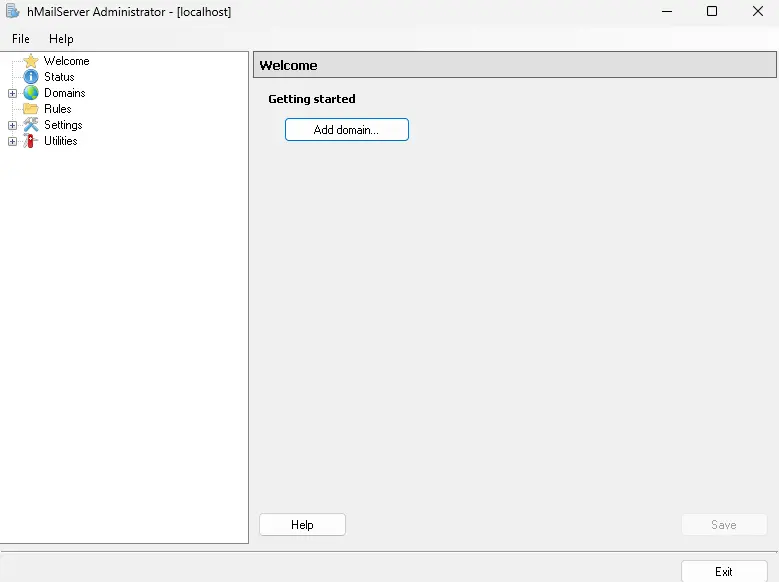
1. Adding Your Domain
- Open hMailServer Administrator.
- Go to Domains → Add.
- Enter your domain name and click Save.
2. Adding Email Accounts
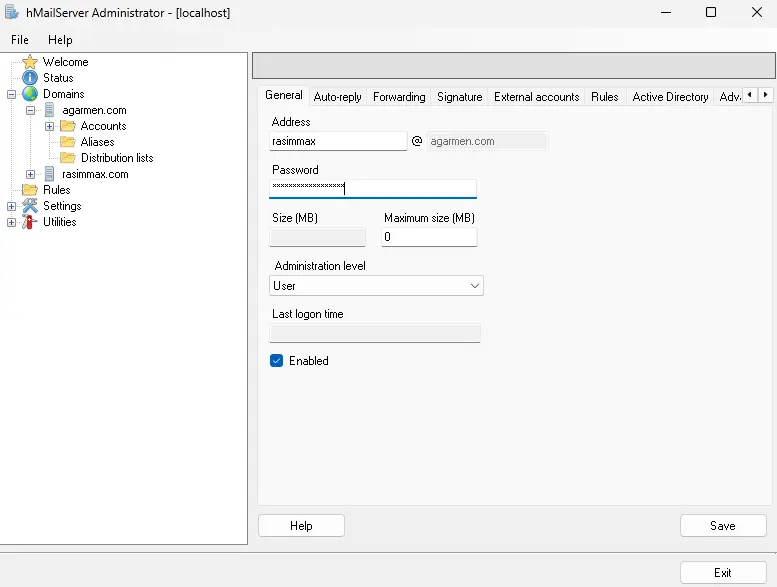
- Go to Accounts → Add.
- Enter a username (e.g.,
user@yourdomain.com) and password. - Click Save.
Generating and Adding a DKIM Key
To improve email deliverability, configure DKIM:
- Download and install OpenSSL for Windows.
-
Open Command Prompt (as Administrator) and run:
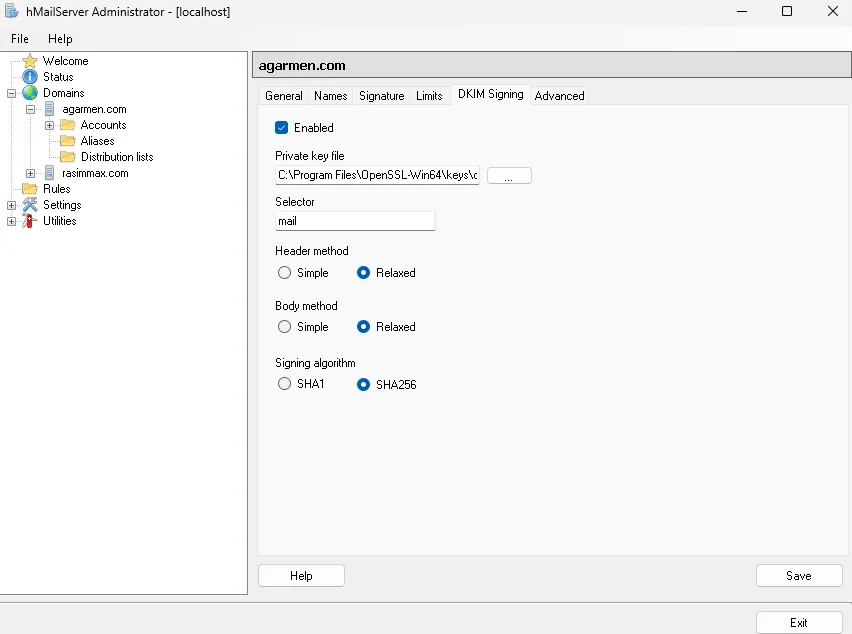
cd "C:\Program Files\OpenSSL-Win64\" openssl.exe genrsa -out dkim.private.key 1024 openssl.exe rsa -in dkim.private.key -out dkim.public.key -pubout -outform PEM - In hMailServer, go to Settings → Advanced → DKIM Signing.
- Specify the selector (e.g.,
mail) and the path todkim.private.key.
Configuring DNS Records
In your domain’s DNS settings, add the following records:
| Type | Host | Value |
|---|---|---|
| A | Your server’s public IP address | |
| TXT | @ | v=spf1 a mx ip4:YOUR.IP.ADDRESS ~all |
| TXT | _dmarc | v=DMARC1; p=quarantine; rua=mailto:dmarc@yourdomain.com; ruf=mailto:dmarc@yourdomain.com; sp=quarantine |
| TXT | mail._domainkey | v=DKIM1; k=rsa; p=YOUR_PUBLIC_KEY |
Testing Your Email Server
Use a mail client such as Thunderbird or Outlook with these settings:
| Host | localhost |
| User | user@yourdomain.com |
| Password | Your account password |
| Port | 587 |
| TLS | None |
Conclusion
With hMailServer, setting up a fully functional Windows-based mail server is straightforward. By adding DKIM, SPF, and DMARC, you can significantly improve email deliverability and security.
0 Comments
No comments yet, be the first!
Leave a Comment